Online
Online application updates can be triggered (check, download and installation) in tab About.
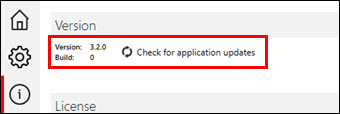
Make sure to allow these applications internet access and/or elevated privileges when prompted:
•Tekomar XPERT.exe (will check for application updates and download updater)
•XpertUpdater.exe (will manage and execute the application update process)
Utilization of automatic updates can be defined in tab Settings.
For Configuration updates, go to tab Settings -> Workspace location -> Update Installations.